Search or click the map
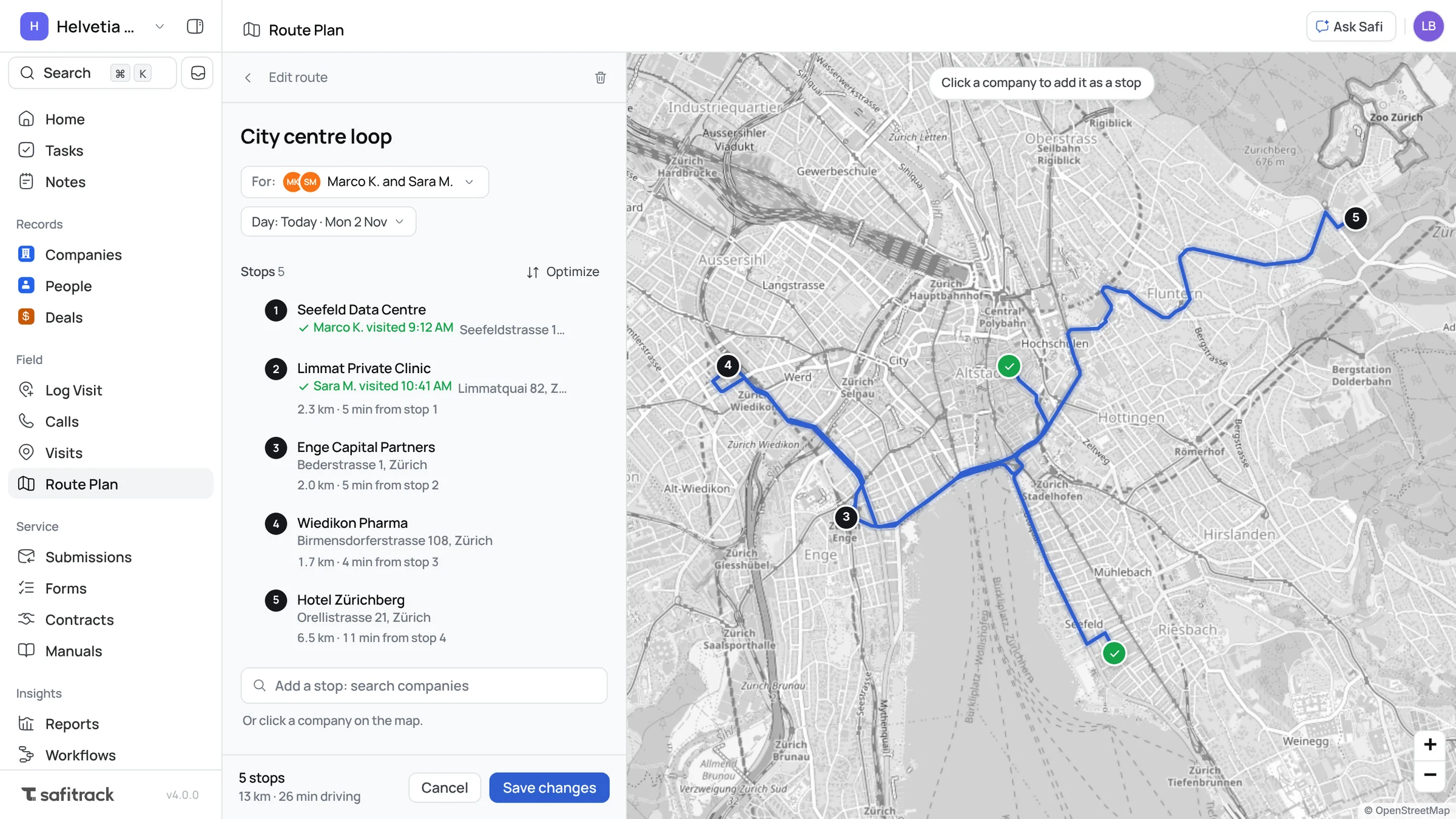
Add a stop by name, or click the company on the map.

Route plans
Plan each rep's day: pick the stops, put them in order and choose who it's for. They get it on their phone, with directions to every stop.
Planning
Search for companies or click them on the map, then drag the stops into order. SafiTrack works out the drive along the real roads, with the distance and time between every stop, and Optimize puts them in the shortest or quickest order for you.
On the road
Reps open today's route on their phone and see the stops in order on the map. Directions opens their own maps app, and Log visit fills in the company, then moves them on to the next stop. Managers see each route's stops tick off as the visits come in, and who made them.
Capabilities
Add a stop by name, or click the company on the map.
The shortest or the quickest order, along the real roads. You choose where it starts and ends.
Distance and time along the roads, for the route and each leg.
Give a route to reps or technicians; it shows up in each of their My routes.
Look back at earlier days and how many stops were visited.
Set the day for each route; reps see today's first.
Plan the routes, and your reps always know where to go next.